


“How do I build an AI strategy when I’m still figuring out what it means for my own work?”
I was asked this revealing question by a COO last week.
I suspect there are plenty of others I’ve spoken to over the past few months who feel the same, but haven’t felt able to be quite so honest.
After all, you’re supposed to have a vision. Set direction. Make confident decisions. But you’re also frantically trying to find the time to master ChatGPT prompts in the evening, wondering if you’re even using this stuff right.
So, here’s what I told him.
You can’t lead what you can’t do.
Not “do” as in write the code. “Do” as in - you’ve mapped one of your own workflows, automated a real task, measured the result, and now you understand what’s actually possible versus what’s still marketing bullsh*t.
Once you’ve done that - even once - everything changes. You stop sounding like you’re repeating what you heard on a webinar. You start making clearer decisions. Your team stops rolling their eyes in Slack.
The reality is we’re all learning two things at once:
How to use AI in your own work
How to lead your team through the same transition
Most people skip straight to number two and, sure enough, three months later nothing’s changed.
So, I figure it’s worth trying something different this time.
How this series works
Between now and Christmas, you’re going to build your own AI operating system - one workflow at a time, using your actual work.
One lesson per week. One action under an hour. Real examples and practical templates.
By January, you’ll have:
Mapped and optimised a real workflow from your own job
Built confidence in what works and what’s oversold
Created a simple framework you can teach to your team
Measured the time saved and quality change
Today, let’s start from the very beginning.
WEEK 1: What does workflow even mean?
The dream - especially if you’re designing an AI strategy for your organisation - is a world where AI automates the repetitive work while your team focuses on the uniquely human stuff - creativity, judgment, client relationships.
Sounds good. Achievable too.
But you can’t design that strategy from 30,000 feet. You need to understand what a workflow actually is, how it breaks down into tasks, and where AI genuinely helps versus where it’s still bullsh*t.
That’s what this week is about.
Not because you personally need to become an automation expert or understand every single task within every single job role. Because you can’t lead a transformation you don’t understand at the task level.
A workflow is just a repeatable sequence of steps that turns an input into an output.
The reason most AI strategies fail isn’t the technology. It’s that leaders skip this step - they’ve never mapped what their teams actually do, step by step. So the strategy stays theoretical.
Let’s get super practical.
For me, the obvious place to start optimising how I work was with preparing for important conversations - podcast interviews, client meetings, sales calls. The workflow looked like this:
Input: Person’s name, company, their recent content
Here are the steps:
Google the person and company
Scan their LinkedIn
Review the website
Read a few articles and/or videos
Open a doc and brainstorm questions
Review and refine for the conversation
Send an agenda (meetings) or preview doc (podcasts)
Output: Prep doc with context and talking points
Time: 45-60 minutes
Once I could see it laid out like this, something became clear. AI could handle the research gathering and give me starter questions. I still needed to shape the conversation for what I wanted to explore, and manage the relationship with the guest.
This doesn’t require automation - but it does contain multiple single steps that I can get done faster (and better) with AI.
I use ChatGPT with browsing (or Perplexity Pro) to pull public information from their LinkedIn, company site, and any recent articles.
I can then use this to create a detailed exec summary.
I then prompt it to generate 20-25 possible questions before cutting it down to the 8-10 that matter.
I’ve done this 15+ times now. I timed it - consistently 45-60 minutes before, 15-20 after, with better starting material. Sometimes I leave it there and bank the extra time. Mostly, I reinvest it into going deeper into the individual or company. So I’m getting quicker and my work’s better.
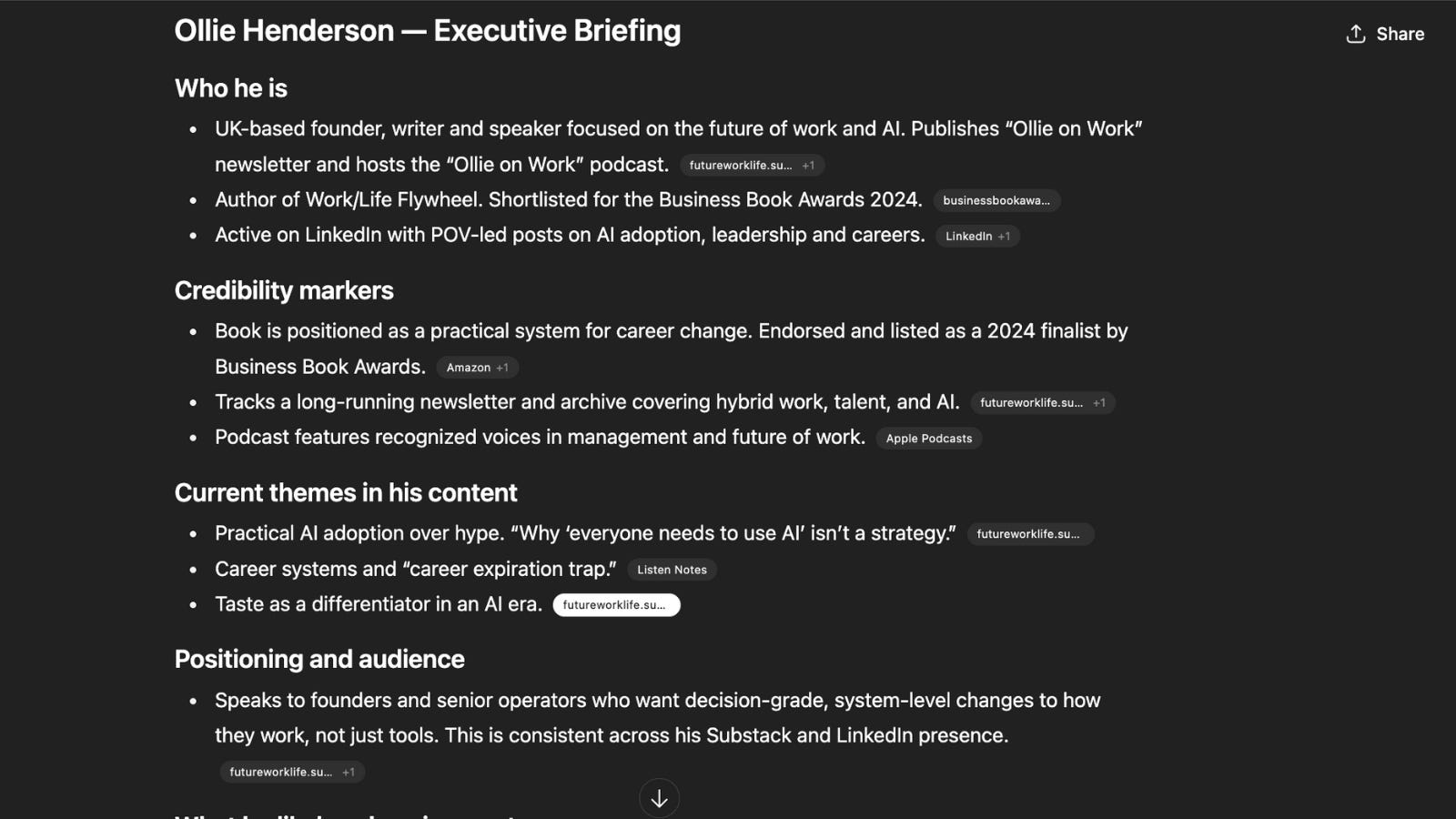
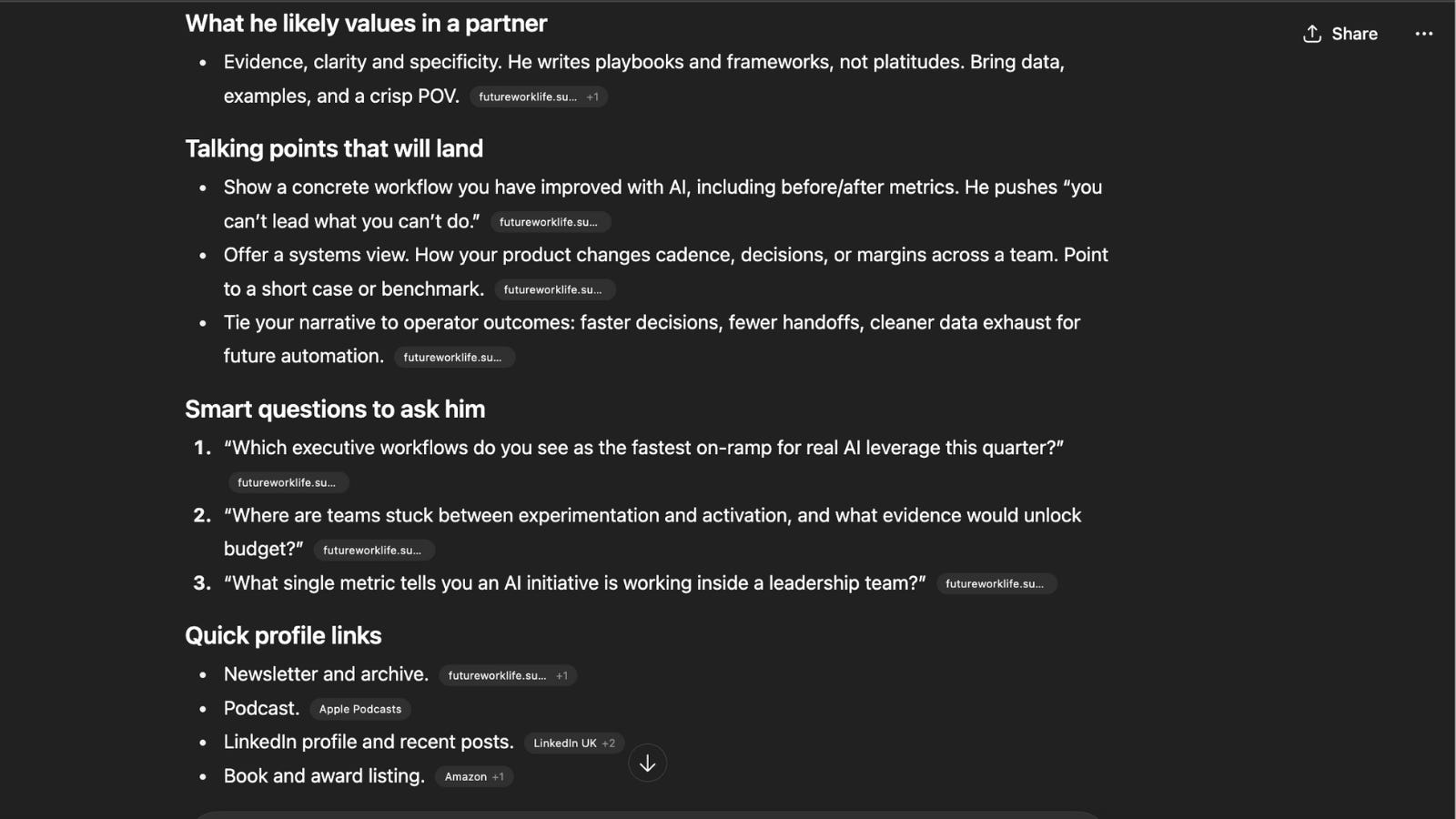
The broader point here is that now when I talk about practical examples of how to use AI, I’m not guessing - I’m showing what I’ve learned first-hand.
Your mission this week: Map one of YOUR workflows
Pick something you do at least once a week that takes 30-60 minutes and has a clear output - this could be:
Preparing for important conversations
Reviewing work and giving feedback
Weekly updates or reports
Use this template:
Workflow name: (e.g., “Preparing for client strategy calls”)
Input: (Client name, company, recent news or content, meeting goal)
Output: (One-page prep doc summarising client context, key talking points, and 5-10 tailored discussion questions)
Steps (aim for 5-10):
1.
2.
3.
etc.
(For each step, note: Could AI help with this? Or does this need my intervention?)
Current time:
Success metric: What proves this worked? (e.g., reduced prep time, better meeting outcomes, stronger client feedback)
Crucially, be specific - “Better meetings” isn’t a workflow. “Preparing context for client strategy calls” is.
And remember you’re not committing to fully automate anything yet. You’re creating clarity about what you do repeatedly, what takes time, and where AI might fit.
Once you can see the pattern - where the repeatable steps are and where you need human judgment - you can make better decisions on where AI will work for you and your team. Everything else gets easier from there..
And if it’s helpful, reply with:
Your workflow name
Your success metric
I’ll send you a quick checklist to validate your thinking and help you spot where AI might help.
Good luck!
Ollie